Focus app for Android

Not now.

Block the feed. Breathe first.
Keep your focus.

LetsFocus puts a gap between the urge and the app. Block apps, websites, whole categories, or just YouTube Shorts and Instagram Reels, and keep everything else.

  • Free for 3 days
  • Pay once
  • No account
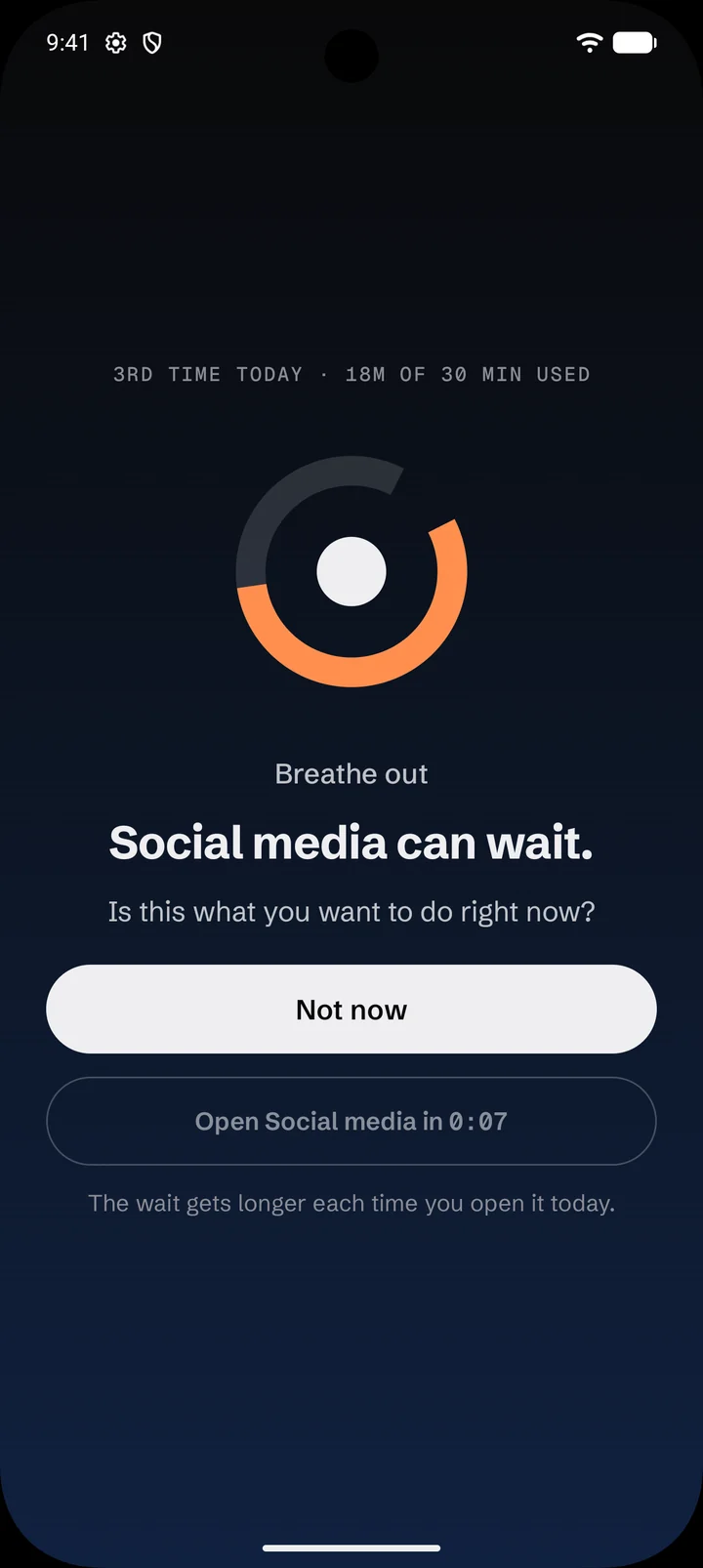
The breathing pause in LetsFocus. It reads: Social media can wait. Is this what you want to do right now? Below are a Not now button and a countdown before the app can open.

How it works

A pause, not a punishment.

Most blockers slam a door. LetsFocus holds it for a moment, long enough to ask whether this is what you want to do right now.

  1. 01

    Pick what pulls you in

    Apps, websites, whole categories, a single keyword, or just the endless part of an app, like Shorts or Reels.

  2. 02

    Choose how firmly to hold

    A hard block, a breathing pause before it opens, or a daily limit in minutes or opens. All the time, or on a schedule.

  3. 03

    Make it hard to undo on impulse

    Tightening a rule is instant. Loosening one waits out a cool-down, so a weak moment can't undo a good decision.

Features

Built for the second you reach for your phone.

Everything you need to put the feed down, and nothing that gets in the way of the rest of your phone.

Breathing pause

Pause before you scroll

A slow breath stands between you and the feed. Tap "Not now" and you're back on your home screen, and it doesn't count as an open.

  • "Open" unlocks after 10 seconds the first time today, then waits 5 seconds longer each time, up to a minute
  • Or set a daily limit: minutes a day, opens a day, or both
  • Once a limit is reached, the app stays blocked until midnight

Shorts & Reels

Lose the feeds, keep the apps

Block YouTube Shorts and Instagram Reels and keep the rest of the app: search, messages, subscriptions and your friends' posts.

  • Works in the YouTube, Instagram and Instagram Lite apps, and on the web
  • Eight ready-made categories: social, video, games, news, shopping, adult, gambling and dating
  • Block a single keyword in web addresses, searches and app names
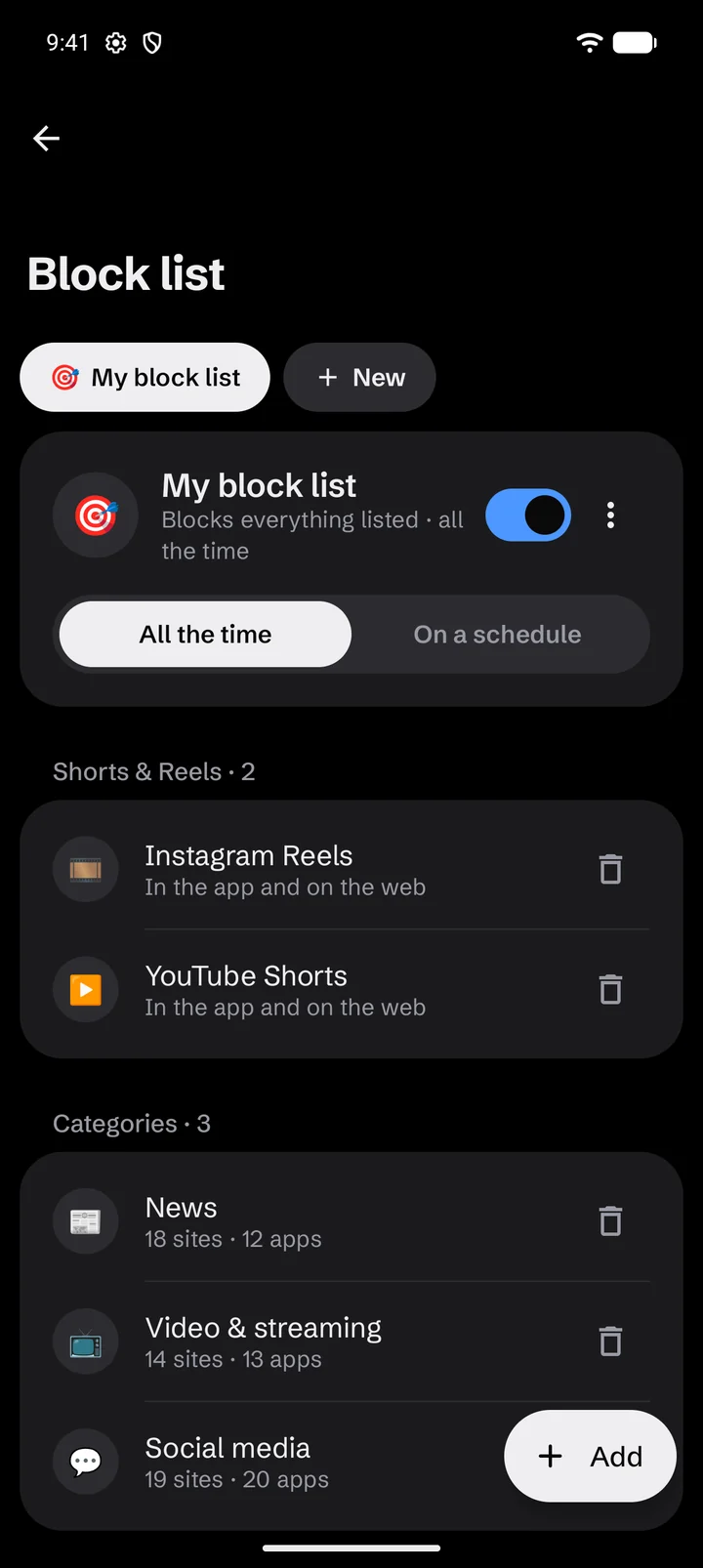
A block list with Instagram Reels and YouTube Shorts blocked in the app and on the web, plus the News, Video and streaming, and Social media categories.

Focus sessions

Focus in one tap

Start a timer or Pomodoro rounds with breaks, and everything on your lists stays blocked until you're done.

  • Strict mode: no ending early, and nothing can be unblocked
  • Start from the Quick Settings tile or the home-screen widget
  • A quiet countdown in your notifications shows the time left
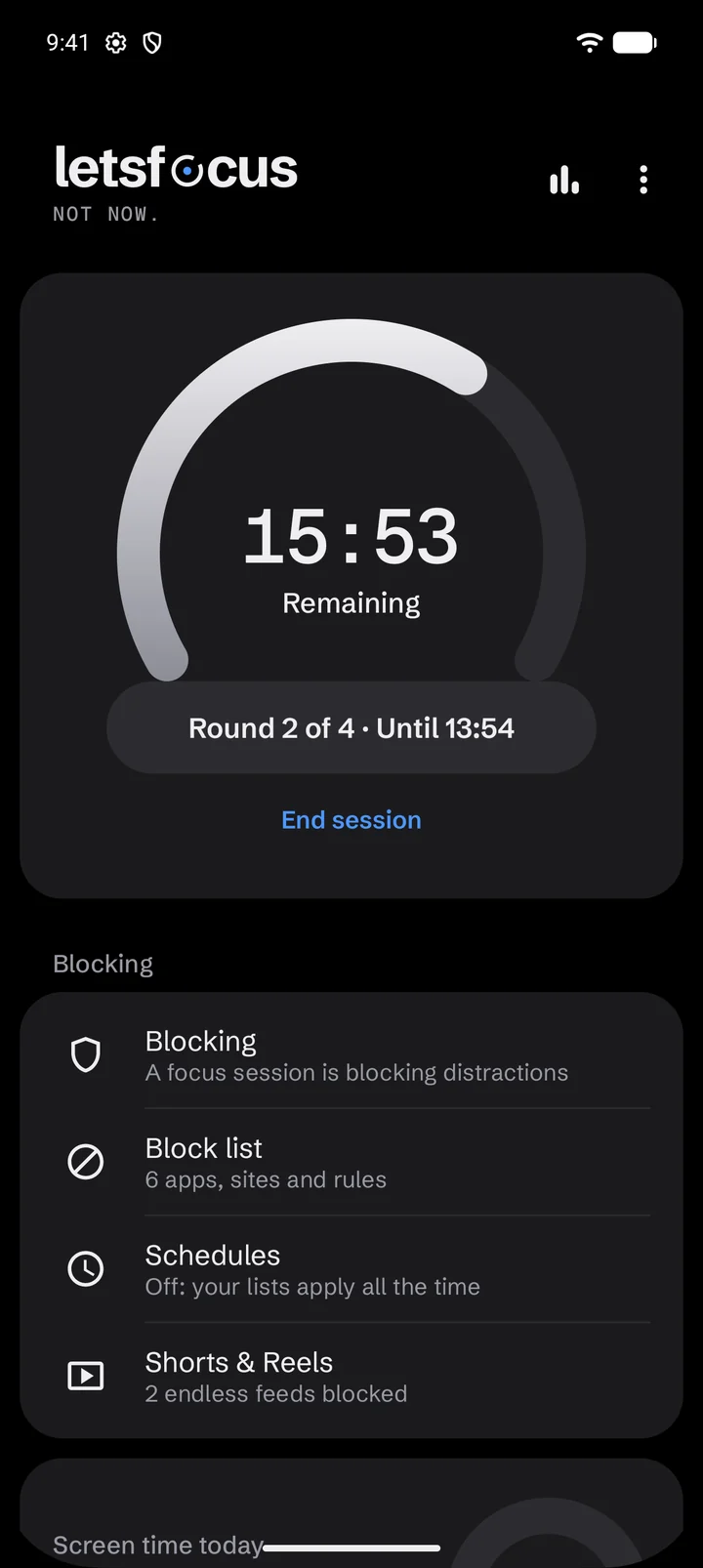
The LetsFocus home screen during a focus session: 15 minutes 53 seconds remaining, round 2 of 4.

Block page

Your reason, every time

Write the block page in your own words, so what you see is a reminder from you, not a warning from an app.

  • Your own headline and reason, six dark themes and rotating quotes
  • Or skip the page and go straight to a site you choose
  • Blocked tabs are moved off the page, so reopening the browser doesn't land you back on it
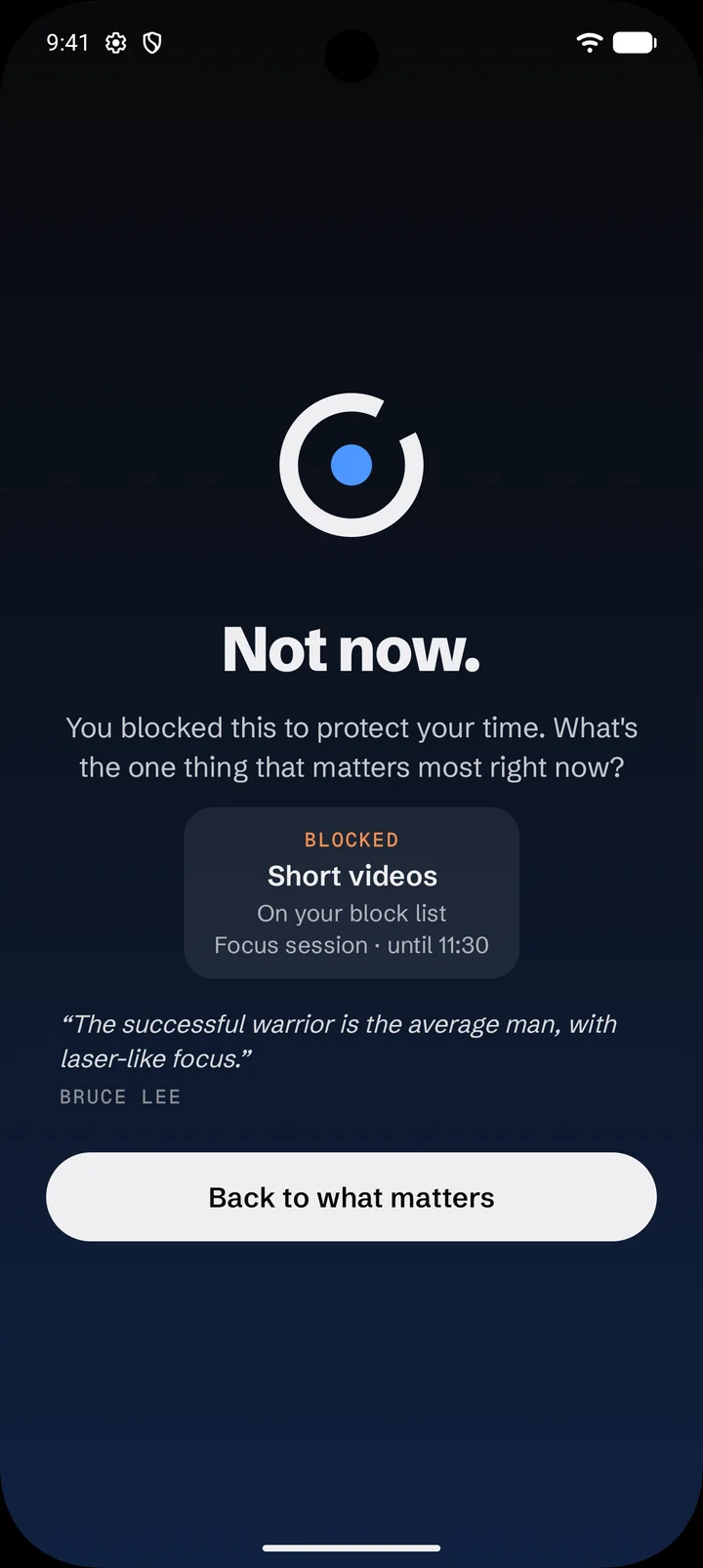
A block page that says: Not now. You blocked this to protect your time. What's the one thing that matters most right now? Short videos, blocked during a focus session until 11:30.

Streaks & insights

Watch your week fill in

Every finished session ends with "Held." and closes a ring for the day. Keep the week going.

  • See your focus time and how many times you held off
  • Insights show screen time by app and by day, and time spent on websites
  • "Reveal my distractions" ranks apps and sites by time, reopens and late-night use, with one tap to block
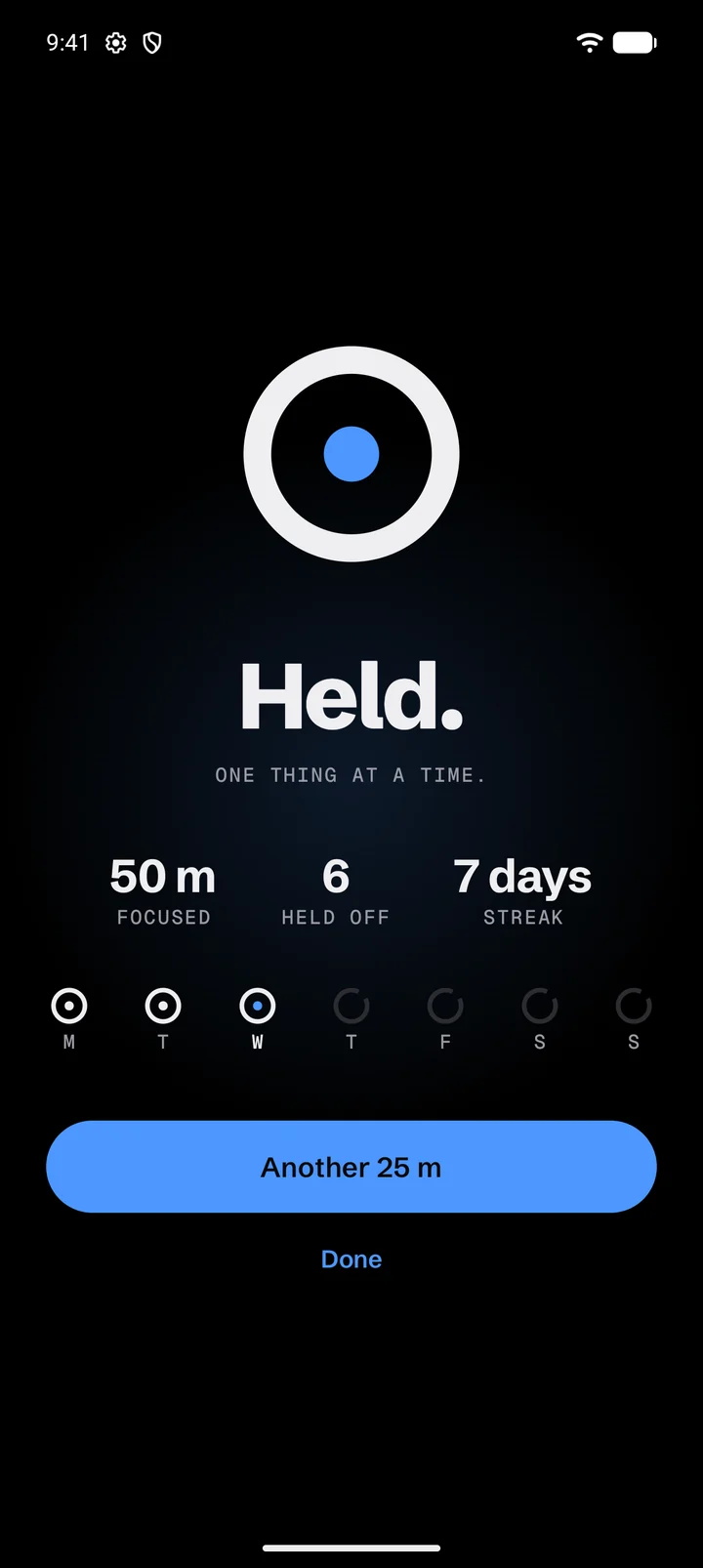
The Held screen after a session: 50 minutes focused, 6 held off, a 7 day streak, and closed rings for Monday to Wednesday.

And the rest

Everything else, quietly in place.

Profiles

Separate lists for different parts of your day, like Work 9–5 or Night. Each one on or off, all the time or on its own schedule.

Allow lists

Turn a profile around: block every app except the ones you need, and keep browsers to the sites you list. Calls always work.

Schedules

Weekly time windows for each profile, overnight ones included. Focus sessions work any time.

Cool-down

Loosening a rule waits 30 minutes, or 20, 15, 10 or 5. You choose. Tightening one is instant.

Uninstall protection

LetsFocus can't be removed on impulse. Switching protection off needs your password, or waits out a short cool-down.

Password lock

Keep your settings behind a password. The app locks again 30 seconds after you leave it.

Works in your browser

Chrome, Firefox, Samsung Internet, Edge, Brave, Opera, and the built-in browsers from most phone makers.

Works offline

Every decision is made on your phone, so blocking keeps working without a connection.

Privacy

Everything stays on your phone.

LetsFocus has no account, no ads and no trackers. Your lists, your history and your habits never leave the device. We couldn't see them if we wanted to.

  • No account

    Install it and start. There's nothing to sign up for.

  • No ads, no analytics

    No advertising, tracking or analytics code of any kind in the app.

  • Kept on the phone

    Your lists, settings and stats live in the app's private storage, and nowhere else.

  • Gone when you uninstall

    Remove the app and everything it stored goes with it.

Why LetsFocus asks for Accessibility access

Android's Accessibility service is how an app can tell which app is open and what's in your browser's address bar. LetsFocus needs exactly that to step in at the right moment. It looks at the app in front, the address bar in browsers and, in YouTube and Instagram, which screen you're on. It makes every decision on the phone and sends nothing anywhere.

Read the privacy policy

Pricing

Try all of it for three days. Then pay once.

No subscription, no tiers, no features held back. One purchase through Google Play keeps LetsFocus working for good.

  • Everything, for good

    Block lists, schedules, limits, focus sessions, Shorts and Reels.

  • Nothing renews

    One payment through Google Play. No subscription to remember to cancel.

  • On your next phone too

    Restores with the Google account you buy it with.

Get it on Google Play

Google Play shows the price in your currency. If you don't unlock after the trial, blocking pauses and everything you set up stays put for when you do.

FAQ

Questions, answered.

Do I need an account?

No. There's no sign-up and no login. LetsFocus works as soon as you install it and finish the short setup.

Why does LetsFocus need Accessibility access?

It's how Android lets an app see which app is in front and what's in a browser's address bar. LetsFocus uses it only to spot what you've chosen to block, then show your block page, start a breathing pause or redirect you. Everything is decided on your phone, and nothing is sent anywhere. The privacy policy lists exactly what it reads.

What other permissions does it ask for?

Usage access, for screen time in Insights. Notifications, for the focus timer. Optionally, exact alarms and unrestricted battery use, so sessions end on time and Android doesn't stop the blocker in the background. Device admin is used only for uninstall protection, and only if you turn it on.

Which browsers does it work with?

Chrome, Firefox, Samsung Internet, Edge, Brave and Opera, plus the built-in browsers from Huawei, Honor, Xiaomi, OPPO, realme, vivo, Tecno, Infinix and others. In LetsFocus, Settings → Permissions → Browser check tells you whether your browser can be read. Links opened in a browser built into another app, such as a link tapped inside a social app, aren't covered yet.

Does it work offline?

Yes. All blocking happens on your phone. LetsFocus only goes online to reach Google Play when you buy or restore the unlock.

What happens when the free trial ends?

You'll get a heads-up a day before. When the trial ends, blocking and uninstall protection pause, and your lists and settings stay exactly as they are. Unlock once and everything starts working again.

Can I use it on a new phone?

Yes. Your purchase restores on any Android phone signed in to the same Google account. Your lists live on each phone and don't sync between devices yet.

How do I uninstall it?

If uninstall protection is on, turn it off first in Settings → Protection → Uninstall protection. That asks for your password, or waits out a short cool-down if you haven't set one. Then uninstall LetsFocus like any other app.

Is there an iPhone version?

Not yet. LetsFocus runs on Android 8.0 and newer.

Your feed can wait.

Back to what matters.

Get it on Google Play